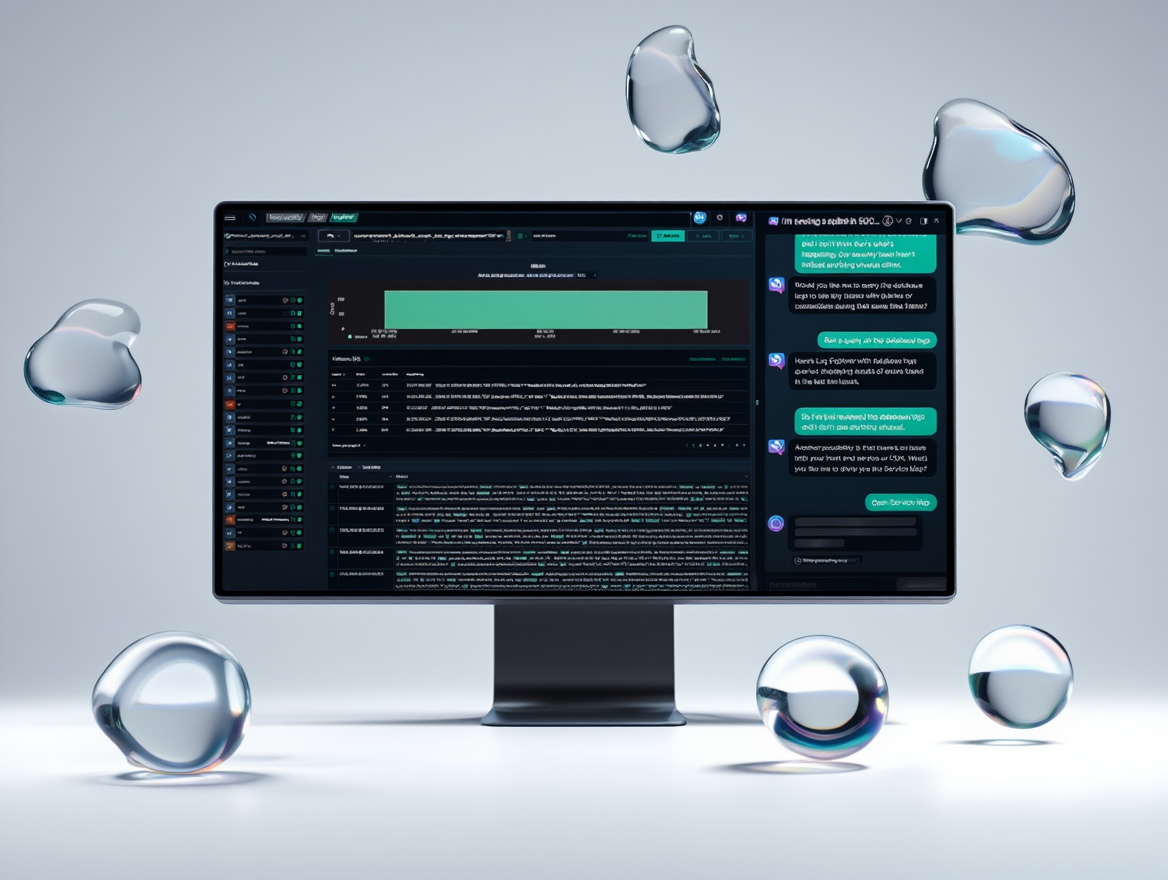
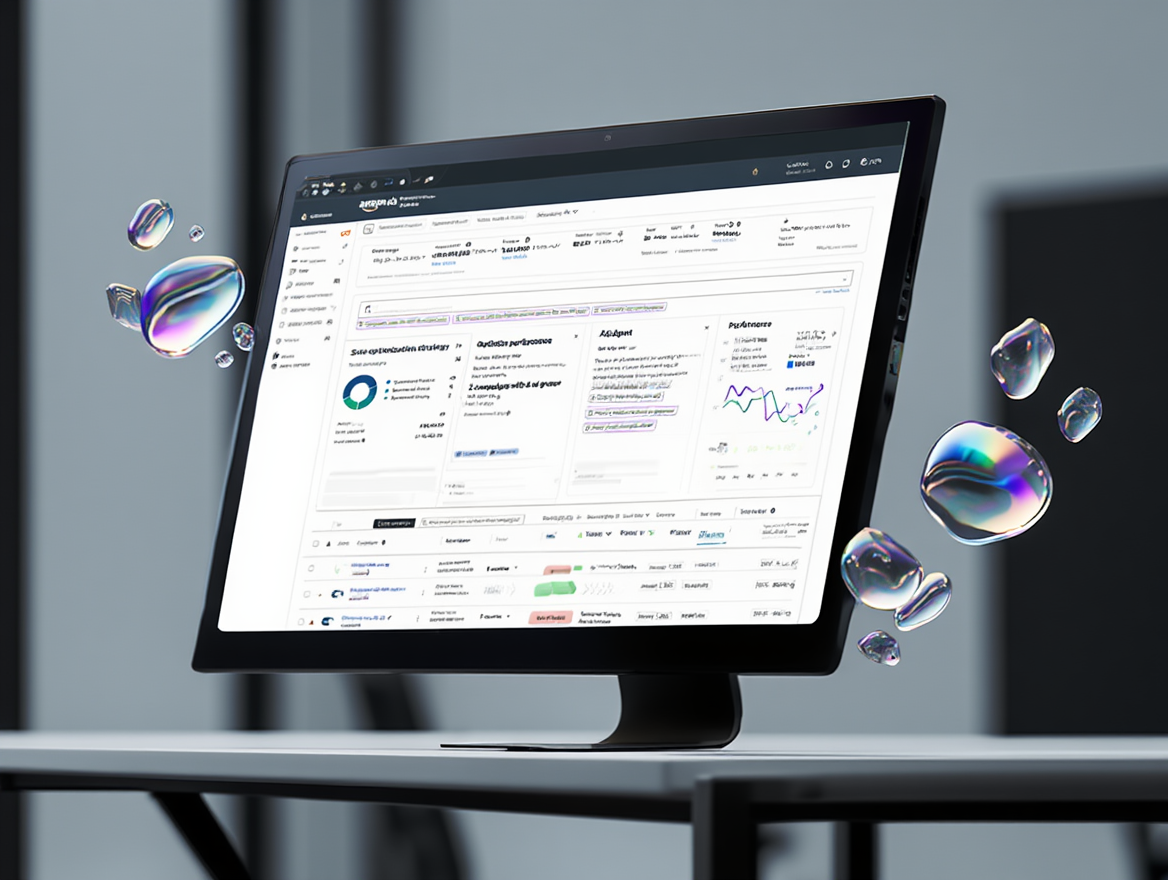
Designed Amazon Q Developer in Amazon OpenSearch Service, a GenAI toolkit for DevOps observability, debuted at re:Invent AWS.
/Client
Amazon AWS
/Product
OpenSearch AI Toolkit
/Role
Lead Product Designer
→ DS Governance Lead
Overview
From Organization-Wide Mandate to Market-Ready Innovation
When AWS set its mandate to embed generative AI across every service, the OpenSearch Observability team had to reimagine DevOps workflows through the lens of GenAI. I joined as Lead Product Designer and, over the life of the project, grew into the team's AI Design System Governance lead—owning both the product experience and the system that let it scale.
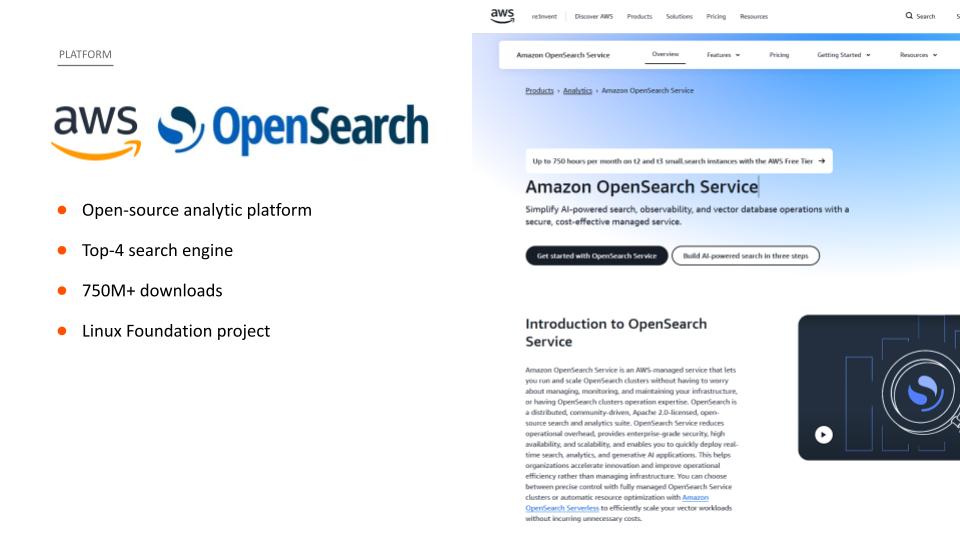
OpenSearch is no small canvas: an open-source, Linux Foundation analytics platform, a top-4 search engine, with 750M+ downloads. Building on a year designing AI-driven search-comparison tools, I led the discovery phase—mapping the intersection of machine-learning capability and practitioner need through strategic JTBD frameworks.
ClientAmazon AWS
PlatformOpenSearch Observability
Coalition30 people · 4 time zones
Timeline3 months
Debutre:Invent AWS
The bar we set
30–40%Target lift in GenAI cluster adoption, 3–6 months
55 → 74SUS target — from 'poor' to an 'acceptable' decile
Act One
The Product Journey
From first alert to resolution.
Understand
Finding the 20% That Drives 80%
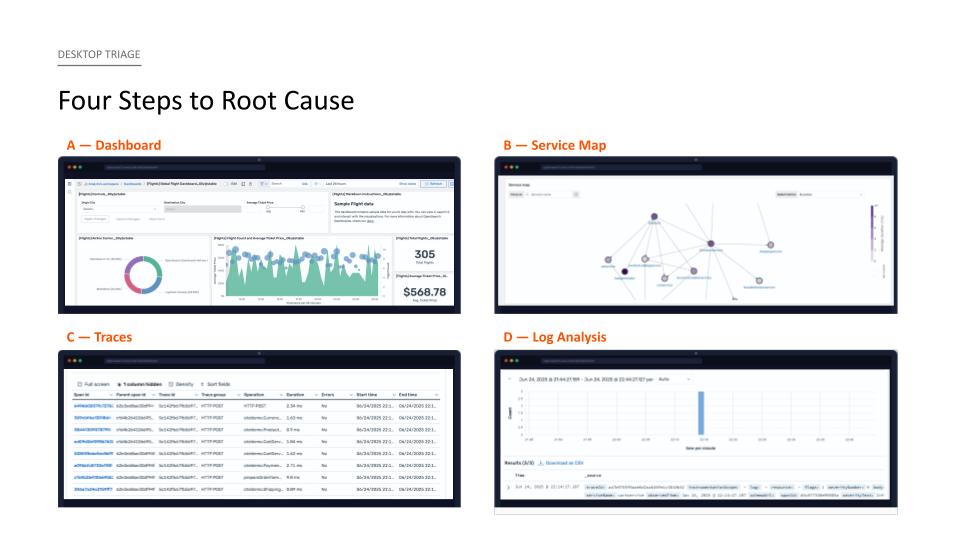
Working inside the Nielsen Norman design-thinking frame—Understand, Explore, Materialize—I anchored the team on a single canonical workflow: root cause analysis, the 20% of the product driving 80% of the experience.
The journey
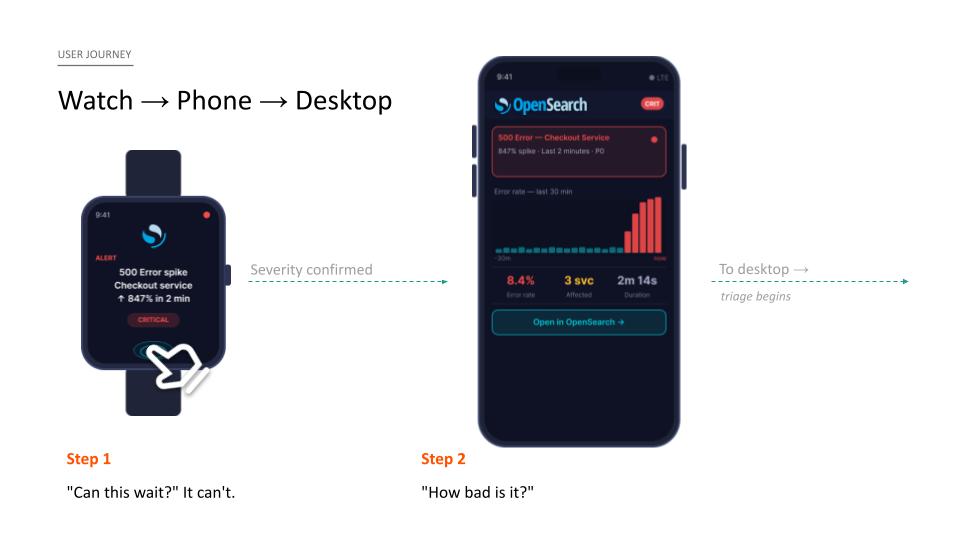
I mapped how an incident actually unfolds: a watch buzz (“Can this wait? It can't.”), a glance on the phone (“How bad is it?”), then to the desktop where triage begins—dashboard, service map, traces, log analysis.
The problem
“The canonical workflow—scattered across four corners of the navigation.”
The four steps to root cause lived in four disconnected corners of the product. The path was there; the product made you assemble it yourself.
Sourced from OpenSearchCon, 1:1 interviews, and solutions architects.
Setting table stakes — secondary research
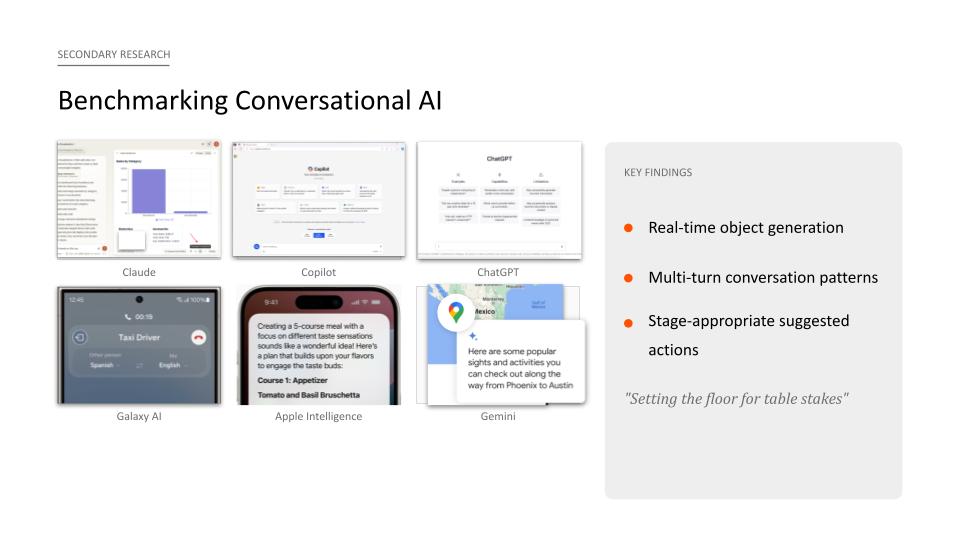
I benchmarked conversational AI across Claude, Copilot, ChatGPT, Gemini, Galaxy AI, and Apple Intelligence. Three patterns set the floor: real-time object generation, multi-turn conversation, and stage-appropriate suggested actions.
Competitive benchmark — six assistants against the table-stakes patterns
Explore
From North Star to Net-New Components
To align 30 people fast, I ran a hybrid See / Think / Feel / Do workshop—fusing Amazon's Working Backwards method with persona empathy mapping. Two days, one hour each, oriented to a single North Star. Three findings emerged.
Metaphor
A concierge
“White-glove. Walks you through your workflow as you ask questions.”
Core job
Find the right problem, fast
“…understand relevant signals so they can quickly find the right problem to solve.”
17 candidate workflows → one undisputed direction → 60–70% of use cases.
Principles
Three product principles
Democratize access · Approachable by design · Data-aware.
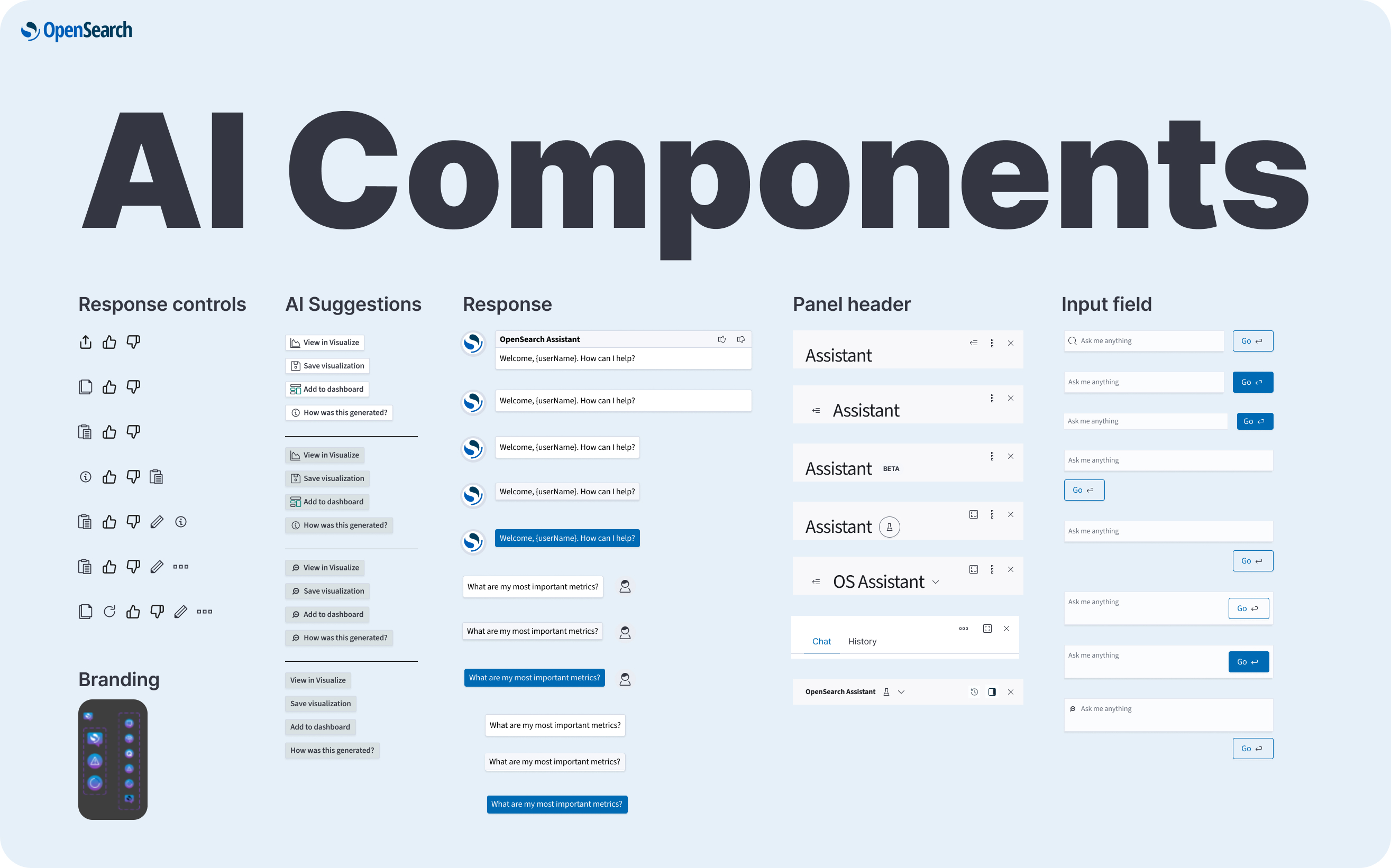
Structure → components → composition
I moved from wireframes—where product defined the AI narrative and engineering validated stateful interactions—to atoms (AI controls, suggestions, response patterns, input fields) governed by clear heuristics: semantic coherence, economy of form, signal-to-noise, interaction cost. Those atoms composed up into full multi-turn panel organisms.
Wireframes → components → multi-turn panel compositionThe final design
One decision split the org: where should the assistant panel live—left, right, bottom-docked, or default fullscreen? Rather than let opinion decide, I settled it with research.
The study
8 internal formative tests
Random sample of solutions architects
Partnered with our UX Research Manager on recruitment
Built the prototypes, script & protocol independently
“Before every interaction: 'What do you think will happen?' Then: 'Did the result match your expectation?'”
Finding 1
Right panel, default
Unanimous. Docking flexibility stayed on the roadmap—prescribing a single rigid layout would have strained open-source community expectations.
Finding 2
Save as playbooks
History, editable names, discardable threads—plus a hidden gem: saving conversations as notebooks to train teammates on RCA. Shipped at launch.
Finding 3
Explain the reasoning
Exposing chain-of-thought taught users the query language. The assistant quietly became an onboarding tool.
The launch call
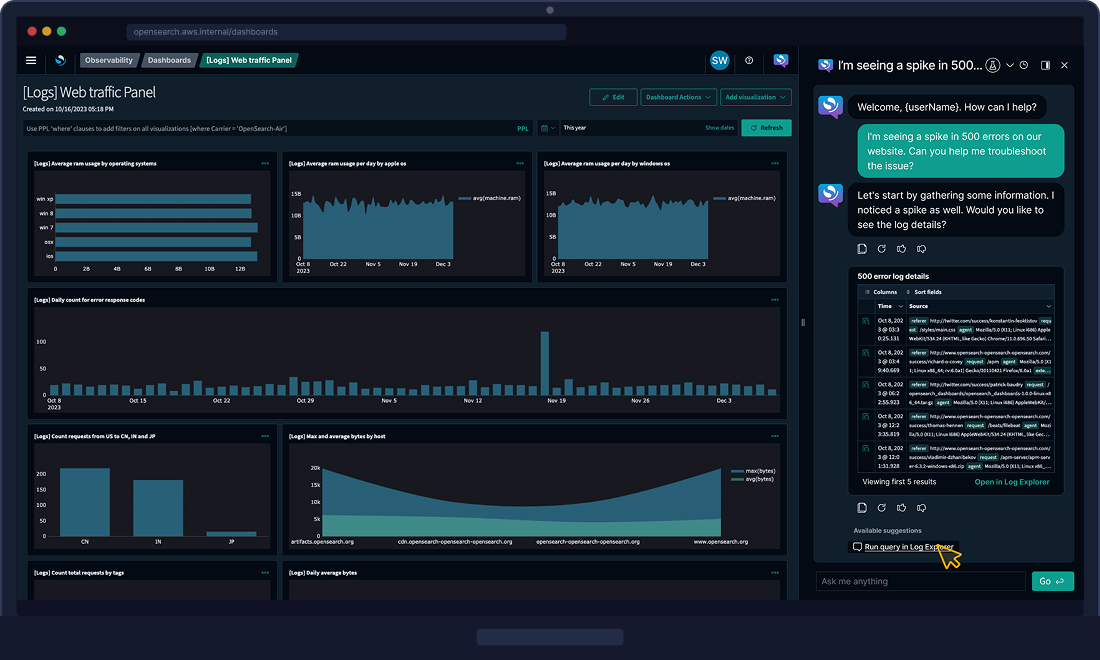
Two workflows were ready. Over the flashier alert demo—rich object generation, heat maps—I championed the end-to-end journey, troubleshooting 500 errors, for its context awareness and concierge walk-through. It shipped.
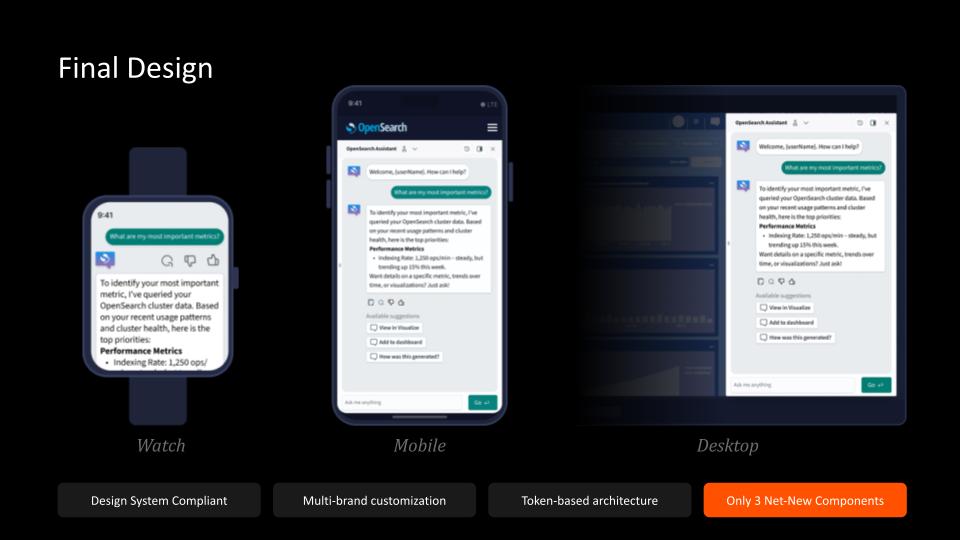
The final design in context — the assistant walking a 500-error to resolutionOne token-based system, three surfaces — the same assistant panel holding up natively on watch, mobile, and desktop
Launch
The re:Invent AWS Showcase
The OpenSearch Assistant Toolkit debuted at re:Invent AWS and OpenSearchCon India. I designed the end-to-end experience for its flagship capabilities—conversational assistants, natural-language-to-visualization, AI-powered anomaly detection, NLQ summarization, and agentic reporting—setting a new benchmark for intelligent observability in the DevOps ecosystem.
Impact
Business Metrics, Exceeded
30%Faster root cause analysis
71%Adoption among OpenSearch users — target was 30–40%
600%Growth in active AI companies
Experience impact
On one of the most technical platforms in the AWS portfolio, usability climbed from 'poor' to the top decile.
55Previous · poor
74Target · acceptable
88Achieved · excellent
“From 'poor' to the top decile—on one of the most technical platforms in the AWS portfolio.”
Act Two
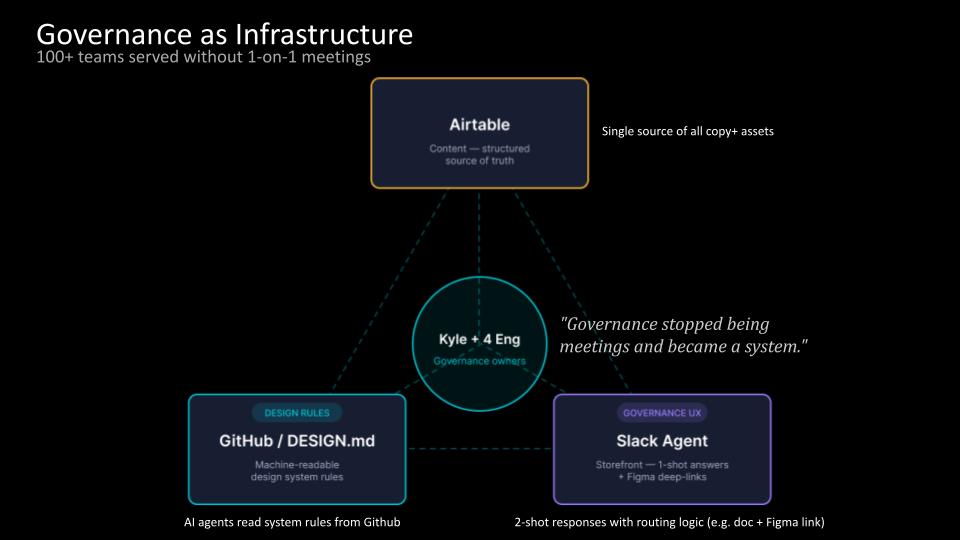
Governance as Infrastructure
When design leadership becomes a system.
Governance
Scaling Impact Without a Single 1:1
Shipping the product was half the story. The harder problem: keeping a fast-moving GenAI surface compliant across a team I didn't directly manage. My answer was to stop treating governance as meetings and start treating it as infrastructure.
100+ teams served without one-on-one meetings
A single source of truth for all copy & assets
AI agents that read system rules straight from GitHub
2-shot responses with routing logic (e.g. doc + Figma link)
“Governance stopped being meetings and became a system.”
One living document
01
Flow records
Videos, screenshots, and text records for every user flow.
02
Component specs
GenAI specifications with redlines linked back to Figma canvases.
03
Issue tracker
UX–engineering severity ratings, cross-referenced across all flows.
“How I scaled impact across a team I didn't directly manage—by building systems, not bottlenecks.”
Auto-Generation
A System That Designs Itself
The endgame proved the thesis. I built a standalone multi-turn tool that generated design-system-compliant Figma templates from a plain-language query—in 2–3 minutes.
“When your tokens, naming, and component rules are rigorous, the system can generate on-brand, accessible, compliant design on demand.”
One system, a hundred brands
Omnichannel and multi-brand consistency, encoded as rules a machine can follow—a human- and machine-readable automation system, and the new norm for AI-ready design.
AI-ready technical implementation — omnichannel design system & automation tooling
Reflections
Three Takeaways
01
Stakeholder unity fuels velocity
The North Star workshop is why 30 people across four time zones didn't miss a three-month deadline.
02
Two audiences: humans + machines
The same rigor that kept the panel compliant is what let AI agents generate compliant design later.
03
Moonshot deadlines, self-organizing teams
Twice-weekly reviews turned pressure into momentum.